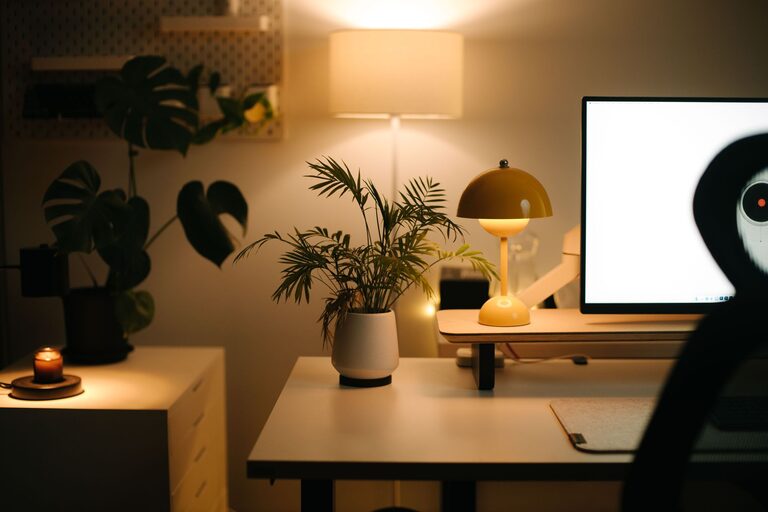

Creating a home office that supports productivity and comfort is essential for anyone working remotely or managing tasks from home. A well-organized workspace can improve focus, reduce stress, and help maintain a healthy work-life balance. Here are some helpful tips for organizing a productive home office space.
Choose the Right Location
The first step is selecting the best spot in your home for your office. Ideally, this should be a quiet area where you can minimize distractions.
– Natural Light: Position your desk near a window if possible, to benefit from natural daylight, which can boost mood and energy.
– Away from High Traffic: Avoid spots near busy household areas like the kitchen or living room to stay focused.
– Room for Essentials: Ensure there’s enough space for your desk, chair, and storage needs without feeling cramped.
Invest in Comfortable and Functional Furniture
Your furniture plays a big role in your comfort and efficiency.
– Ergonomic Chair: Choose a chair that supports good posture to prevent back and neck pain.
– Appropriate Desk: Select a desk at a height that suits you; adjustable desks are a great option if you like to alternate between sitting and standing.
– Storage Solutions: Use shelves, filing cabinets, or drawers to keep documents and supplies organized and within reach.
Declutter and Organize Your Desk
A clutter-free desk helps your mind stay clear.
– Minimal Items: Keep only daily essentials on your desk to avoid distraction.
– Use Organizers: Desk trays, pen holders, and cable management tools can keep supplies neat.
– Daily Clean-Up: Spend a few minutes at the end of each day tidying your workspace.
Optimize Technology Setup
Your tech setup should support smooth work processes without clutter.
– Monitor Placement: Position your monitor at eye level about an arm’s length away.
– Cable Management: Use clips or sleeves to bundle cords and keep them out of sight.
– Reliable Equipment: Invest in a good quality keyboard, mouse, and headset to reduce fatigue.
Enhance Lighting
Proper lighting reduces eye strain and keeps you alert.
– Task Lighting: Use a desk lamp with adjustable brightness for focused tasks.
– Avoid Glare: Position screens perpendicular to windows and use blinds if necessary.
– Balanced Light: Combine ambient lighting with task lighting for a well-lit space.
Incorporate Personal Touches
Adding elements that inspire or relax you can improve your work experience.
– Plants: Small indoor plants improve air quality and add a calming presence.
– Artwork: Hang pictures or art that motivate you without overwhelming the space.
– Comfort Items: A cozy rug, cushions, or scents can make the environment welcoming.
Set Up Zones for Different Tasks
If space allows, create specific areas for various activities.
– Focus Zone: Your main desk area for computer work.
– Creative Zone: A space for brainstorming, reading, or jotting ideas.
– Storage Zone: Dedicated places for supplies and paperwork.
Maintain a Routine to Keep the Space Functional
Organization is ongoing, so develop habits to keep your office productive.
– Weekly Review: Check supplies and clean surfaces regularly.
– Organize Digital Files: Keep your computer desktop and folders tidy.
– Plan Breaks: Schedule time away from your desk to recharge.
Additional Tips
– Noise Management: Consider noise-cancelling headphones or background music if needed.
– Temperature Control: Make sure your workspace is comfortable, neither too hot nor too cold.
– Limit Distractions: Use apps or tools that block distracting websites during work hours.
—
By thoughtfully organizing your home office space, you create an environment that supports focus, comfort, and productivity. With these tips, you can build a workspace that not only meets your practical needs but also inspires you to do your best work every day.